OneScreen
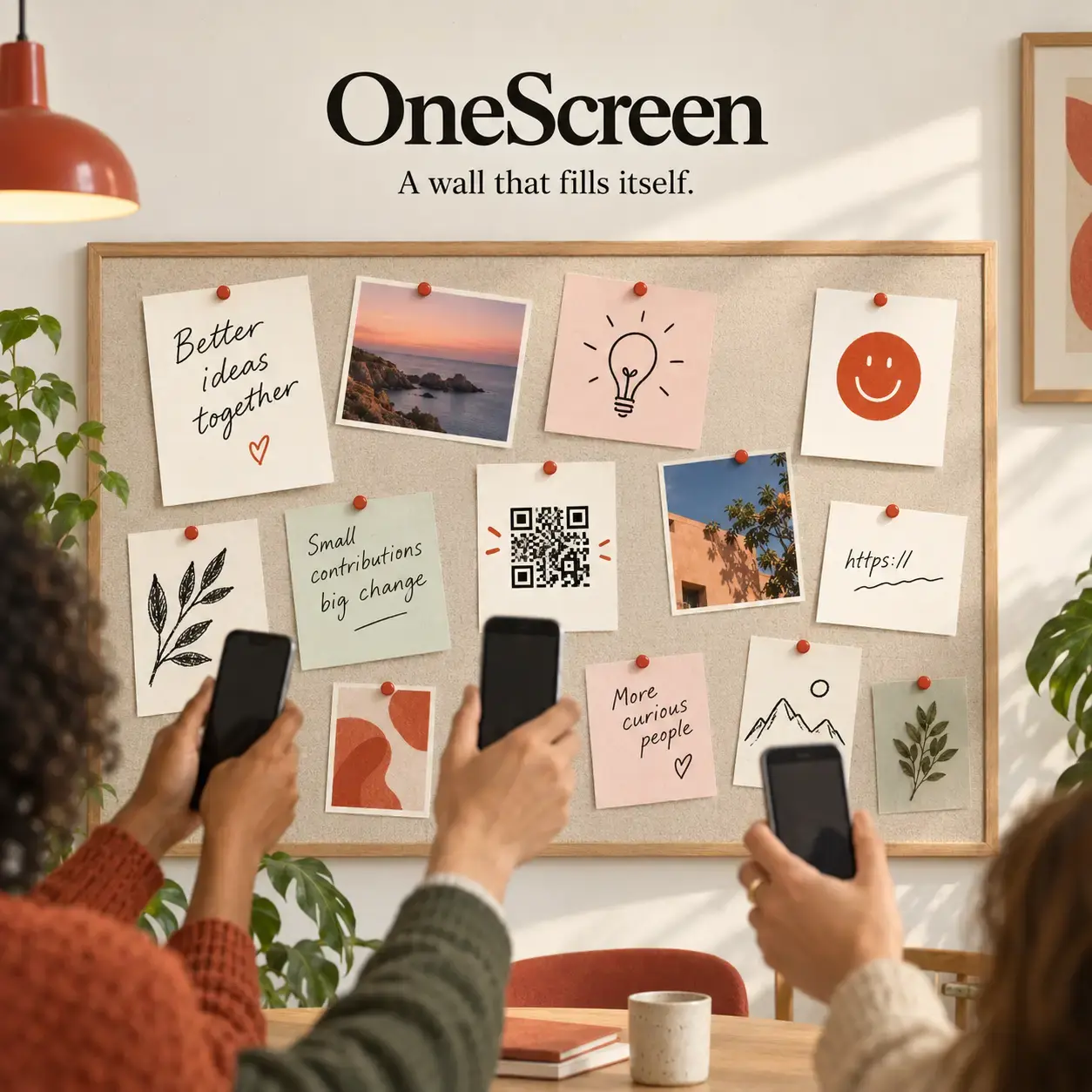
OneScreen turns a laptop or projector into a shared wall: open a room, scan the QR, and photos, links, scribbles, and short messages appear on the big screen the moment someone sends them—no accounts, installs, or history.
By Ranjith Kumar Kakkarayil · Published · Updated
OneScreen: Every Phone in the Room, One Screen on the Wall
You know how it goes in a meeting. Someone asks a question, and the answers come one at a time around the table. By the fifth person, half the room has stopped listening and the last three people are just agreeing with whoever spoke first.
I wanted something simpler: everyone answers at once, and the answers land on the screen everyone is already looking at.
That's OneScreen.
Try it: onescreen.ranjithkumarkakkarayil.com · Code: GitHub
How it works
- One computer, usually the one plugged into the projector, opens a room. It gets a four-character code and a QR code.
- Everyone scans the QR with their phone and lands on a send page. They don't sign in or install anything.
- Whatever someone sends shows up on the big screen right away. It appears full size for a few seconds, then settles onto the wall with everything else.
- When the room closes, everything is gone. That is the whole data policy.
What a phone can send
- Text, up to 600 characters. A message that's only emoji becomes one giant emoji tile.
- Photos from the camera or the library. The phone shrinks them before uploading, so a 12-megapixel shot doesn't stall the room.
- Drawings on a finger-drawing pad with colours, brush sizes and undo.
- Links, which the server fetches to show a title and preview image.
- Emoji reactions. A tap flings one across the screen; holding it pins it to the wall.
Where I'd use it
- Meetings. Ask "what's the one thing blocking you this week?" and get every answer at the same moment, so nobody anchors on the first reply.
- Classrooms. Thirty students each photograph their worksheet and the whole class sees the range of answers.
- Workshops. Sketch a user flow on your phone and put it on the wall.
- Parties. The wall fills up with whatever people are looking at.
The content isn't really the point; any app can show photos. The point is every phone in the room feeding one screen, live.
Designed like a real board
I didn't want this to look like a dashboard. The real-world version is a corkboard with pieces of paper pinned to it, so the design starts there:
- Paper and ink. A warm board, tiles that look like sheets of paper, thin rules instead of drop shadows, and one vermilion accent that reads like a pin.
- Nothing hangs straight. Each tile is tilted a fraction of a degree. The angle comes from the tile's ID rather than a random number, so a tile keeps its tilt when the wall re-flows instead of twitching.
- A paper colour per person. Short messages get a tint tied to whoever sent them, so you can tell at a glance who's talking.
- Light by default. Meeting rooms have the lights on, and a dark screen in a bright room looks like a grey smudge. The host can switch to dark with one key for an evening event.
- It scrolls when it fills up. The newest tiles sit at the top, and tall photos or a packed wall stay reachable instead of being cut off.
Host controls
Only the computer that opened the room gets controls. A small bar at the bottom fades out until you need it:
- Prompt (P): change the question, and it updates on every phone.
- Lock (L): stop new submissions without closing the room.
- Hide QR (Q): give the wall the whole screen.
- Lights (D): switch between light and dark.
- Save PDF (S): export everything on the board, not just what's visible.
- Clear: wipe the board (it asks first), or delete single tiles with the ×.
Anyone else who opens the screen link just sees the wall, without controls.
Built to be safe with strangers
Everyone in a room is anonymous, so the server doesn't trust anything it receives:
- No HTML from users. Tiles are built as plain text, and a test fails the build if any client script writes user content as HTML.
- Link previews are fenced off. The server refuses to fetch addresses on private networks or cloud metadata endpoints, so nobody can use it to probe the network it runs on. Redirects are checked at every hop.
- Images belong to their room. An image link only works inside its own room, and stops working once the room is gone.
- Rate limits per device, so one enthusiastic phone can't flood the wall or push everyone else's tiles off.
Under the hood
- Node.js and Express serve the pages, with WebSockets for live updates.
- No framework and no build step on the front end: plain HTML, CSS and ES modules, so the phone page works the moment the QR opens.
- Everything lives in memory. Nothing touches disk. Rooms have deliberate limits: 300 tiles, 120 MB of images, and expiry after 6 hours with nobody connected.
- 103 automated tests cover the room store, the full socket protocol, the HTTP routes, the network-fetch guard and input validation. None of them need a network or a browser.
You can run it on your laptop over local Wi-Fi (npm install && npm start) or deploy it to the cloud. The public version runs on Render behind my own domain.
What I learned
The hardest decisions weren't technical. They were about what to leave out: no accounts, no history, no "save this room for later". Each of those would have made OneScreen bigger and slower to start. Leaving them out is why it opens in a couple of seconds and why nobody has to think about privacy. Close the tab, and it's over.
If you run a meeting, a class or a workshop, give it a try and let me know how it goes.