Phone-as-a-Controller
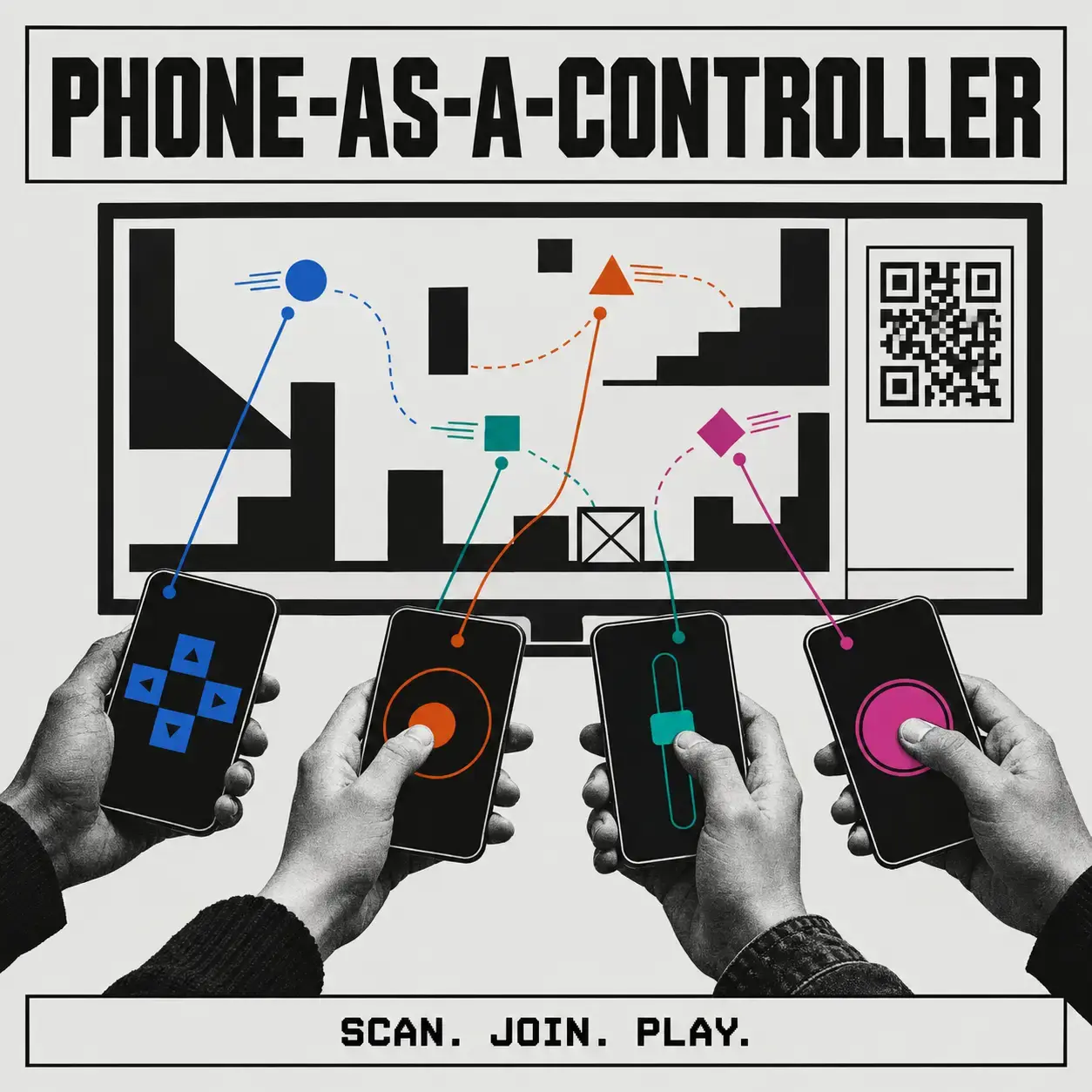
Phone-as-a-Controller uses the same pattern for input instead of content: two to twenty phones join via QR and instantly become buzzers, votes, joysticks, or remotes for whatever is on screen, with no apps, pairing, or cables.
By Ranjith Kumar Kakkarayil · Published · Updated
Phone-as-a-Controller: Turn Every Phone in the Room into a Game Controller
Every party game, quiz night or classroom poll hits the same problem: how do you get input from everyone in the room?
You can buy buzzers. You can make people download an app. You can pair Bluetooth controllers one at a time while the room loses interest. Or you can use the device everyone already has in their pocket.
Phone-as-a-Controller turns any phone into an input device instantly. Open a page on a laptop or TV, and two to twenty people scan a QR code. Their phones become controllers. There's no app, no pairing and no cable.
Try it: phone-as-a-controller.ranjithkumarkakkarayil.com · Code: GitHub
The product isn't the game
It ships with demos: a quiz buzzer, live voting, a joystick arena, a presentation remote and reaction buttons. But those are just examples. The real product is one capability: turn everyone's phone into an input device, right now.
Pick a mode from the tabs on the big screen, and every connected phone redraws itself the moment you click.
Layouts are just data
This is the idea I'm most pleased with. A controller layout is a plain JSON object. The big screen sends it, and every phone draws it.
room.setLayout({
  id: 'buzzer',
  title: 'Buzzer',
  hint: 'Slam it.',
  controls: [{ type: 'button', id: 'buzz', label: 'BUZZ', size: 'jumbo', span: 2 }],
});
So a new kind of controller means writing an object, not shipping an update to the phones. The phone already knows how to draw:
- Buttons: jumbo, large or medium, with press-and-hold and auto-repeat.
- Joysticks: smooth analog input from −1 to 1.
- D-pads: up, down, left and right, repeating while held.
- Sliders: live values plus a final "commit".
- Text boxes: for quiz answers or names.
- Swipe pads: swipe and tap gestures.
- Tilt: steer by tilting the phone.
- Labels: static instructions.
A small SDK for building your own
One import on the big screen gives you a room, a QR code and a stream of input from every phone:
import { hostRoom } from '/sdk/phone-controller.js';

const room = await hostRoom({
  onReady:  ({ qr }) => showQr(qr),
  onJoin:   (player) => console.log(player.name, 'joined'),
  onInput:  (e) => console.log(e.name, 'pressed', e.c),
});
Every input says who sent it (name, colour, player number), so you rarely need to look anything up. You can also send a message or a vibration back to one phone or to all of them. A complete multiplayer game built on the SDK is included as an example, in about 40 lines.
The boring problems, already solved
Most of the work in a project like this goes into what happens when things go wrong. Here's what's handled for you:
- Reconnects. If a phone refreshes, locks or drops off Wi-Fi for a moment, it comes back with the same player ID, colour and score. Its slot is held for 20 seconds.
- The host refreshes. Phones are told the screen went away and pulled straight back when it returns, with the current layout restored.
- Latency. Each phone measures its own round-trip time, and the host shows it per player.
- Floods. Joystick and tilt input is capped at 60 updates a second. The server keeps separate budgets for analog movement and button presses, so dragging a joystick flat out can never cause a buzzer press to be dropped.
- Silent failures. Phones have no developer console, so if something breaks on a phone, the controller shows the error on screen instead.
- The phone stays awake while you play, with haptics and no accidental zooming or scrolling.
Designed to be read from across the room
The look is brutalist and monochrome: grey paper, black ink, one amber highlight, one monospace font, hard lines, no rounded corners, no shadows. A pressed button turns into a solid black block, so state is obvious at a glance.
The screen is meant to be read from three metres away, not up close. The room code is the biggest thing on the page, and when someone presses a button, their whole row on the roster flips colour so you can see who acted from the back of the room.
Players aren't identified by colour alone. There are eight carefully chosen colours that stay distinct for colour-blind viewers and on washed-out projectors. Past eight players, patterns take over (solid, hatched, outlined), and every player also carries a two-digit tag like 07 GRACE everywhere they appear.
Why WebSockets and not WebRTC?
For twenty phones on the same network sending small messages, relaying through the laptop costs a millisecond or two and avoids all the connection setup and firewall headaches of WebRTC. WebRTC would make sense for frame-perfect latency or for cutting out the server entirely, but for a party game it's not worth the complexity.
Under the hood
- Node.js with the
wsWebSocket library, and no front-end framework. - Rooms live in memory. A restart ends every session, which is the right trade-off for a party tool.
- Security without accounts. Anyone with the four-character code can join as a player, which is the point. But only the screen that created the room can control it, other websites can't open connections to the server, and room and connection caps stop floods.
- 58 automated tests drive the real server through in-memory connections with no network, plus a scripted demo (
npm run demo) that plays out a four-phone session in the terminal.
Try it at your next game night
Open the page on a TV, have everyone scan the code, and you have a buzzer quiz in about ten seconds. If you build something with the SDK, I'd love to see it.