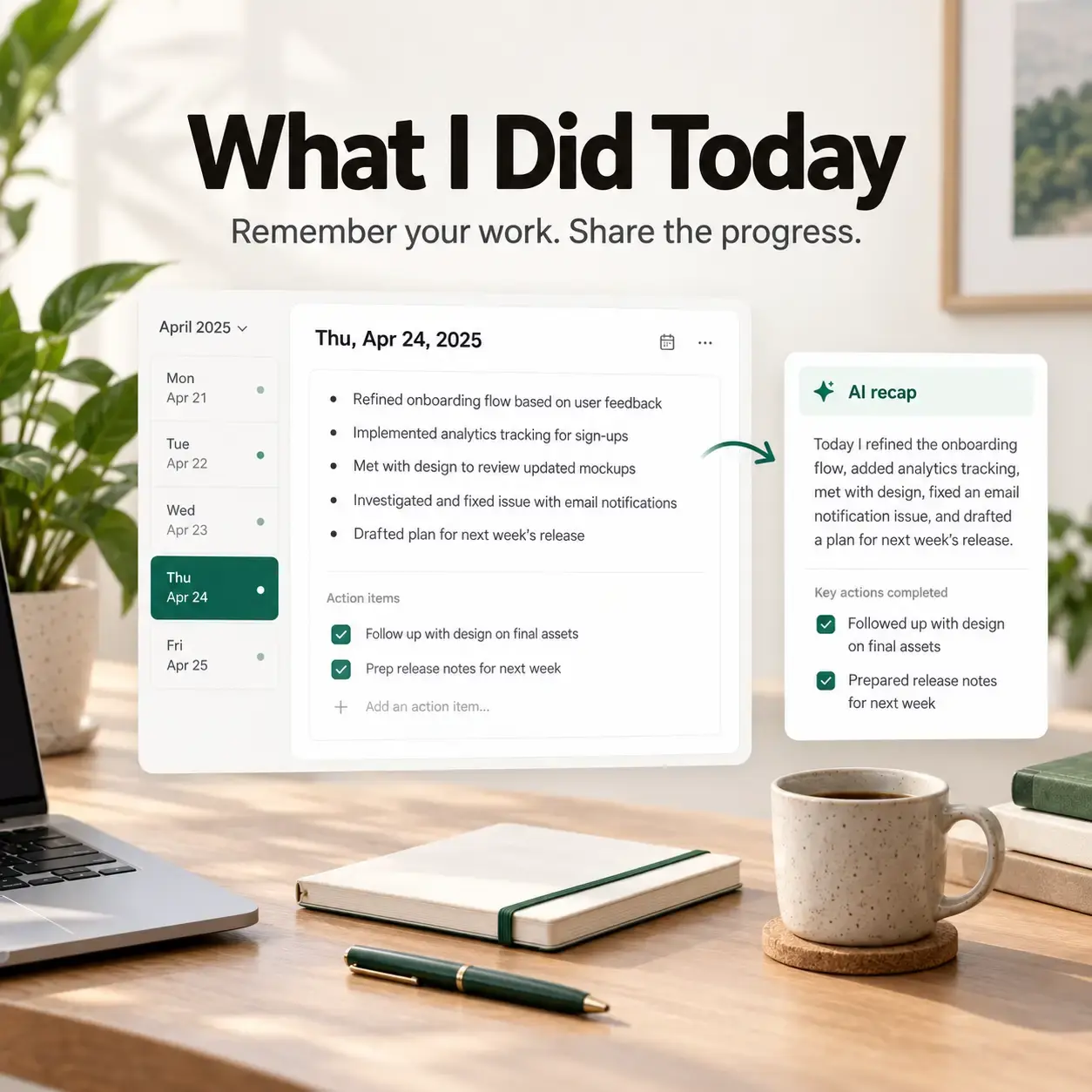
What I Did Today
A local-first, end-to-end encrypted work journal. Capture daily work notes, generate AI summaries, and optionally sync privately across devices — built for standups, one-on-ones, and performance reviews.
By Ranjith Kumar Kakkarayil · Published · Updated
Why I Built an App to Answer "So, What Did You Do This Week?"
The story behind What I Did Today: a tiny daily habit, a private work journal, and a browser extension that captures the busy days for you.
There is a question I used to dread every Friday afternoon.
Someone would ask, casually, "So what did you get done this week?" I had been busy every single day, but the details were scattered across Slack threads, pull requests, tickets, and calendar invites. Answering meant reverse-engineering my own week from ten different tools.
Performance reviews were the same problem at a bigger scale. Twelve months of real work, and no single place that captured it.
So I did what developers do when something annoys them long enough: I built a tool. It's called What I Did Today, and this is the story of what it is, why it works the way it does, and what I've learned building it.
The idea: write it down while it's still fresh
The core idea is almost embarrassingly simple. At some point during the day, open the app and type what you did. A sentence or two is enough.
- "Fixed the flaky login test. Root cause was a race in session refresh."
- "Paired with Priya on the migration plan."
- "Action item: follow up with design about the empty state."
That's it. No folders to pick, no filenames, no templates. Notes save as you type and file themselves into a timeline of Year → Month → Week → Day in the sidebar. Any day I've ever written about is two clicks away.
Action items live right next to the notes that created them, so I never lose the why behind a task. Once I check one off, it locks. My history stays honest. I can't quietly rewrite what I said I'd do.
The part that changed my week: summaries
Raw notes are great for me, but nobody wants to read my stream of consciousness. So the app can turn any day, week, month, or year into a short, readable recap using AI.
The trick is that the AI isn't making things up from nothing. It's summarizing my actual notes. Ask a chatbot to "write my weekly update" with no context and you get corporate filler. Give it five days of real notes and you get something I'd actually send.
My Friday ritual went from twenty minutes of digging to clicking "summarize week" and reading the result. At review time, the year summary becomes the skeleton of my self-assessment, backed by receipts instead of vibes.
A design decision I care about: you bring your own OpenAI or Gemini API key. I didn't want to sit in the middle of your AI usage, mark it up, or meter it. Your key is encrypted in your browser before it's stored, and you pay the provider directly.
Sharing with your manager (only what you choose)
A work journal is personal. It should never turn into a surveillance feed.
So everything is private by default. When I want to share, I can send an encrypted link to a note, or set up an automatic email so my manager gets a tidy summary without me lifting a finger. Managers get a simple view where shared updates from their team show up grouped by person and date, and they can leave feedback right on the note.
The best feedback I've heard was from a manager who said they stopped running status meetings entirely. The updates were already there before every 1:1.
Privacy wasn't an afterthought, and it made things harder
The first version of the app was a normal cloud app: you sign in, your notes live in a database, done. But the more I used it, the more uncomfortable that felt. My work notes contain unfinished ideas, incident details, candid thoughts about projects. Why should a server be able to read them?
So I rebuilt it to be local-first and end-to-end encrypted:
- Local-first: notes are saved on your device first, so the app is instant and works without an account. You can open it right now and start writing.
- Encrypted sync: if you create an account, notes are encrypted in your browser with AES-GCM before they leave your device. The server only ever stores ciphertext.
- Your keys, your vault: a passphrase only you know protects your vault, and you get a one-time recovery key as a backup.
- Private share links: the decryption key lives in the part of the URL after the
#, which browsers never send to the server.
The honest trade-off: if you lose both your passphrase and your recovery key, I can't help you. There's no "reset password and get your notes back." That's not a bug. That's what it means for me to genuinely not have access.
It also forced me to rethink features I'd taken for granted. Search can't happen on the server anymore, so ⌘K search runs locally over your decrypted notes (it's faster that way anyway). AI summaries decrypt notes in your browser and send only the selected text, only at the moment you ask. Exporting to JSON or Markdown happens on your device too. Your work history is yours, and leaving should be easy.
I wrote about the architecture in more detail in a separate post, if you're into that sort of thing.
The newest piece: a browser extension that remembers for you
Even with a 30-second habit, I still had days where I forgot to write anything. Usually these were my most productive days: heads-down, jumping between docs, tickets, and dashboards, with no time to stop and journal.
That's what led me to build the latest addition: a What I Did Today browser extension for Chrome and Safari.
Here's what it does:
- Notices where your focus goes. It tracks which tab is actually focused, along with the site, page title, and how long you were actively on it. It pauses when you go idle and ignores anything shorter than a few seconds, so a quick glance at a tab doesn't count as "work."
- Captures text only when you ask. If you highlight something meaningful, like a decision in a doc or an error message you fixed, you can save it from the right-click menu. Nothing is captured unless you explicitly select it.
- Summarizes it into something human. Every few minutes, it turns raw activity into a short summary using the same AI key you already configured.
- Encrypts it before upload. Summaries are encrypted with your vault key and sent to an inbox only you can decrypt.
- Drops it into today's note. In the web app, one click imports pending activity into today's note, where you can edit, trim, or delete anything.
Building something that watches your browsing raises an obvious question: isn't this creepy? I spent more time on that question than on any of the code. The defaults reflect it:
- No full-page scraping, ever. Only titles, domains, and text you explicitly select.
- Incognito and private windows are ignored.
- Browser-internal pages are ignored.
- Login providers are excluded by default, and you can add any domain to your own exclusion list.
- There's a pause button for when you just don't want it running.
- Plaintext is cleared from the local queue after the encrypted upload.
The extension is still early. Right now you load it manually rather than installing it from a store. But it has already rescued a couple of days I would otherwise have written off as "I don't know, I was busy."
What I've learned building it
Start with the habit, not the architecture. The encryption and sync are interesting to build, but none of it matters if writing a note feels like a chore. Every feature has to protect the "open, type, done" experience.
Privacy changes every feature. You can't bolt end-to-end encryption onto an app and call it a day. Search, AI, email, sharing, exports, and recovery all had to be redesigned around the idea that the server is blind.
Be honest about the boundaries. "Encrypted" doesn't mean "magic." The server still knows a note exists and which day it belongs to. AI summaries temporarily process the text you choose to summarize. Anyone with a full share link can read that one shared note. I'd rather say that plainly than overpromise.
Small notes compound. One note is nothing. A few months of notes is a searchable memory of your professional life. I can now answer questions like "when did we decide that?" or "what did I do during that incident?" in seconds.
Try it
If you've ever had to dig through five tools to answer "what did you do this week?", give What I Did Today a try. You don't need an account. Just open it and write one sentence about today.
Your future self, especially the one sitting down to write a performance review, will thank you.
If you try it, I'd genuinely love to hear what works and what doesn't. This started as a tool for me, and it keeps getting better because of the people who use it.